
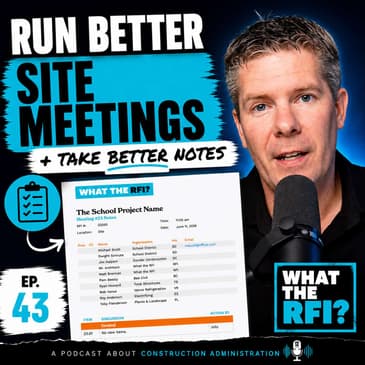
Meeting notes are one of the most important records on a construction project, but what should actually go into them, who should run the meeting, and how detailed do they really need to be?
In Episode 43 of What the RFI?, we continue our three-part series on construction meetings with a practical walkthrough of how I prepare for, run, document, and follow up on site meetings as part of the Construction Administration process.
We cover construction meeting notes vs. meeting minutes, preparing a site meeting agenda, tracking attendance and action items, reviewing the construction schedule, and working through RFIs, submittals, change orders, pricing items, and consultant coordination.
I also walk through my own meeting notes workflow, from preparing and distributing the agenda before the meeting to taking notes live and assigning clear responsibility for follow-up items.
We talk about how to keep construction meetings to 30 to 60 minutes, when to sidebar discussions that are going nowhere, and why I block time immediately after a meeting to clean up the notes, complete my own action items, and distribute the meeting record while everything is still fresh.
Plus, I show how I use Granola AI as a second set of ears during construction meetings while still actively taking my own notes.
If you’re an architect, contractor, consultant, project manager, or anyone involved in Construction Administration, this episode provides practical tips for running better construction meetings and producing clearer, more useful meeting notes.
This episode includes a screen-share walkthrough of my meeting notes process, so check out the video version on the What the RFI? YouTube channel.
GRANOLA AI
Watch the previous episode on using Granola AI for construction meetings:
https://youtu.be/6d4UR3qOczA?si=ANSVjO4VhbhbX60V
Try Granola AI FREE using my referral link: https://www.granola.ai?via=matt-brennan
CHAPTERS
- 00:00 | Intro: Meeting Minutes & Meeting Notes
- 01:53 | What Are Construction Meeting Notes?
- 03:39 | Who Should Run the Site Meeting?
- 05:53 | In-Person, Online & Hybrid Meetings
- 06:31 | Software for Construction Meeting Notes
- 07:59 | Preparing Your Site Meeting Agenda
- 09:13 | Screen Share: Building the Meeting Notes
- 13:21 | Tracking the Construction Schedule
- 18:13 | Submittals & Shop Drawings
- 19:40 | Changes & Pricing Items
- 23:01 | Tracking RFIs
- 24:40 | Owner, Contractor & Consultant Items
- 27:37 | Wrapping Up & Scheduling the Next Meeting
- 28:00 | Preparing the Next Meeting Agenda
- 33:00 | Tips for Running Better Construction Meetings
- 36:00 | Action Items & Distributing Meeting Notes
- 37:08 | Closing Thoughts
Got an RFI for Matt? Send it here!
🎙️Website - WhattheRFI.com
🍏Apple Podcast - What the RFI?
🎧Spotify - What the RFI?
🎥YouTube - @WhatTheRFI
<b>Meeting minutes,</b><b>meeting notes, what are they?</b><b>How do you write them?</b><b>How do you actually run</b><b>a proper site meeting?</b><b>All this in today's</b><b>episode, let's get into it.</b><b>(upbeat music)</b><b>Welcome to What They RFI.</b><b>I'm Matt Brennan and this</b><b>is the podcast all about CA.</b><b>So today is about</b><b>meeting minutes, meeting notes.</b><b>Pick and choose what you wanna call.</b><b>We're gonna go into</b><b>those details in a second,</b><b>but this is continuation</b><b>of the three part series,</b><b>all about meeting minutes, meeting notes,</b><b>how to write them, how</b><b>to run your first meeting.</b><b>And the last episode,</b><b>we went into meeting notes</b><b>that are using AI, right?</b><b>We talked about granola AI</b><b>and we went through a full demo of it,</b><b>how it works, how I</b><b>work in this workflow.</b><b>And like I said, this</b><b>was a three part series</b><b>where we started with</b><b>the AI function out of it.</b><b>Today, we're gonna get into actually</b><b>the meeting notes and</b><b>kind of why the value,</b><b>why you even do this.</b><b>And then the next episode's all about</b><b>kind of that first site kickoff meeting.</b><b>So once you kind of</b><b>do this little session,</b><b>these three part</b><b>meetings, these podcasts,</b><b>you're gonna have a clear</b><b>understanding where to go.</b><b>So definitely check out the links below.</b><b>We'll have the links</b><b>of the previous episode</b><b>with the granola AI.</b><b>And if you wanna take that</b><b>product out for a test drive,</b><b>there is a referral link in there.</b><b>It helps the show.</b><b>Gives you a free month, fantastic.</b><b>And I think you'll be very pleasant,</b><b>it's pretty surprised</b><b>and how efficient it works.</b><b>We actually are just moving</b><b>our whole office over to it.</b><b>So it's definitely got a</b><b>lot of merit to it, okay?</b><b>And again, like the last episode,</b><b>I am gonna do some screen sharing.</b><b>I will do my best to describe this.</b><b>So do check this on the YouTube channel,</b><b>what the RFI, subscribe</b><b>if you haven't been there,</b><b>give it a like, comments, you know,</b><b>all that kind of stuff too.</b><b>So let's get right into this.</b><b>What are meeting notes?</b><b>And first of all, I</b><b>keep saying meeting notes,</b><b>meeting minutes, like why,</b><b>what's the difference, Matt?</b><b>Well, meeting minutes</b><b>are contractual completely.</b><b>It's transcripts of transcripts, right?</b><b>Meeting minutes would be</b><b>somebody out in a courthouse</b><b>doing, you know, on their typewriter,</b><b>laying that all out, it is to the tee,</b><b>he said this, she said this, period.</b><b>Meeting notes from a legality side things</b><b>are a little bit more loose</b><b>because they're my notes</b><b>compared to your notes.</b><b>So if I do make an errors and omissions,</b><b>there's a little bit of flexibility.</b><b>So that's the technically, I</b><b>refer them as meeting notes</b><b>because they're my notes</b><b>that how this site meeting</b><b>or the client meeting went, okay?</b><b>So that's kind of the</b><b>difference between the two.</b><b>And the big thing is why do</b><b>we even have meeting notes?</b><b>Well, it's a contractual document</b><b>that allows us to go back</b><b>in time and basically refer</b><b>versus having Jim saying, I</b><b>said this and I said this,</b><b>we can go back to this documentation</b><b>and going through the minutes here,</b><b>we can actually see who said what,</b><b>what action was taking</b><b>place and who was to follow up</b><b>and that kind of stuff.</b><b>So it just gives an</b><b>agenda to a site meeting,</b><b>lets us run through certain</b><b>critical issues, make notes.</b><b>And you'll see this more in a second</b><b>once we get into it on the</b><b>screen sharing side of things.</b><b>Okay, and the big question,</b><b>and this is one of those arguments,</b><b>they've had a lot of</b><b>discussions with listeners</b><b>and clients and friends and et cetera,</b><b>and it's who runs the site meeting.</b><b>I have some people enjoy</b><b>the contractor running,</b><b>no problems, it's nice when they run it</b><b>because then I can sit</b><b>back and actually relax</b><b>and just do the work as is.</b><b>As the architectural on record,</b><b>the firm has taken part of this project,</b><b>it's nice to do the minutes</b><b>meeting notes right there,</b><b>you to control it.</b><b>And the value of that is that,</b><b>if you're fair and just,</b><b>you're not gonna</b><b>basically throw anyone on the bus</b><b>and that's necessary, okay?</b><b>You're gonna keep it clean,</b><b>you're gonna be fair and just.</b><b>I find with some of the</b><b>contractor site meetings,</b><b>their information is not correct, right?</b><b>Matt, you're responsible</b><b>for 10 out starting RFIs.</b><b>Actually, there's only two,</b><b>and there are two brand new ones.</b><b>So by doing it, you're</b><b>being fair to the logs,</b><b>you're being fair to</b><b>what's actually critical,</b><b>what's out there.</b><b>You're actually driving</b><b>what the critical items are.</b><b>And we'll get into this</b><b>when we actually draft up</b><b>the minutes here.</b><b>But you just don't, you lose that control</b><b>of that site meeting.</b><b>And I don't,</b><b>personally, I don't like that.</b><b>I think I'm on a</b><b>micromanagement individual,</b><b>but there is some value of</b><b>running those site meetings.</b><b>So I would encourage you, if</b><b>you're not doing it right now,</b><b>I would encourage you</b><b>to start looking into it</b><b>and see how you can do that.</b><b>It definitely varies by per contract.</b><b>We do a lot of STIP-SUN, CCD, C2</b><b>contracts here out in BC.</b><b>And in that case, then yes,</b><b>we will run the meetings no</b><b>matter what we insist we do it.</b><b>Now, when it comes to</b><b>contract management type of jobs,</b><b>and again, we've done</b><b>episodes of this on the past,</b><b>so check them out.</b><b>That's where we do let</b><b>the contractor run it.</b><b>But again, there's a</b><b>contractor running it,</b><b>and I've been in many of those meetings</b><b>where they have noticed</b><b>so many outstanding items</b><b>and their logs are not updated,</b><b>and I imagine what our logs are.</b><b>And it's very</b><b>frustrating because you wanna talk</b><b>about the real items of business.</b><b>We don't wanna kinda be discussing logs</b><b>and who's actually up to date right now.</b><b>That's not acceptable,</b><b>we wanna get into it.</b><b>And the other thing too</b><b>with your site meetings,</b><b>sometimes they're ran by</b><b>online, usually on site of course,</b><b>and sometimes a bit of</b><b>a mixture of a hybrid,</b><b>which is nice.</b><b>So you may be on site,</b><b>but then you may have a</b><b>couple just joining online</b><b>because they're needed there</b><b>for like one or two questions.</b><b>But ideally when we do</b><b>all these site meetings,</b><b>we do want all consultants to be</b><b>participating into it.</b><b>Maybe landscape, they might be the ones</b><b>that we would kinda excuse at the end.</b><b>And then same thing, structural,</b><b>we'll want them at the very beginning,</b><b>but eventually they'll fade off</b><b>because the building's built, right?</b><b>So it comes in waves, but you as the CRP,</b><b>the architect director, of</b><b>course you're gonna be running,</b><b>you're gonna always be</b><b>at each of those minutes.</b><b>Now with these site meetings,</b><b>what software would</b><b>you use to write these?</b><b>Well again, we kinda last episode,</b><b>we talked about AI</b><b>meeting minutes, right?</b><b>Meeting notes and how</b><b>those note takers can come in,</b><b>they can do some good stuff.</b><b>But at the end of the day,</b><b>you still need control, right?</b><b>You still need to put the right</b><b>information in there.</b><b>And yes, there are some</b><b>great tools like Decisions</b><b>and like Fathom, they do</b><b>all the video recording.</b><b>We talked about Gornol AI,</b><b>where it's kind of a hybrid,</b><b>where it lets you type the notes,</b><b>but then it takes AI's transcripts</b><b>and then fills in the gaps, which is</b><b>very, very fantastic.</b><b>Those are great for just</b><b>kind of casual meetings.</b><b>I wouldn't hold that true to being</b><b>for our final site meeting notes,</b><b>because that's what</b><b>we're gonna get into today.</b><b>But I would definitely</b><b>run it in the background,</b><b>so if I ever need to</b><b>check something, I can, okay?</b><b>In terms of an actual</b><b>minute application software,</b><b>I've looked, I haven't found anything.</b><b>I'm gonna go back to</b><b>Microsoft Word or Mac's pages.</b><b>Those are the two defaults.</b><b>It's on your, you know, it's free.</b><b>It's on your computer</b><b>already, and it's great.</b><b>But if you've got a great application</b><b>that fills out the numbers</b><b>and sequences and everything,</b><b>let me know.</b><b>I'd love to check it</b><b>out and do a review of it.</b><b>But at this point, I'm</b><b>gonna be featuring everything</b><b>on Microsoft Word, because again,</b><b>it's the application of choice.</b><b>We have it, and it</b><b>just makes sense, okay?</b><b>Now, before we jump</b><b>into the site meeting,</b><b>what I like to do is I</b><b>like to prepare my agenda.</b><b>And what I mean by this is I take the</b><b>previous site meeting,</b><b>I copy that Word document,</b><b>the one that was finalized,</b><b>I give it today's date,</b><b>or the site meeting date,</b><b>and note it as agenda,</b><b>and I go through there,</b><b>and I clean up the</b><b>logs, so I start to look</b><b>at the RFI logs and the</b><b>shop drawings and everything,</b><b>old business, and I clean it up to the</b><b>best of the way you are.</b><b>And I'll show you how to do that,</b><b>kind of part two of today's video,</b><b>how I'd set it up for</b><b>meeting number 26 or whatever,</b><b>we'll get into, okay?</b><b>But that's kind of the plan of approach,</b><b>that we would go into this,</b><b>we'd start off with this agenda,</b><b>we would email that to the</b><b>team kind of a day before,</b><b>maybe the morning, I</b><b>would physically print that,</b><b>bring double-sided pages,</b><b>bring it to the site trailer,</b><b>and then once we get there,</b><b>we get right into it, okay?</b><b>And like I said, I do run</b><b>granola in the background,</b><b>just to capture any</b><b>miscellaneous things that I miss,</b><b>sometimes in the moment</b><b>you're typing up so much,</b><b>you can only take in so</b><b>much as a human being.</b><b>So let's get into it again,</b><b>highly recommend you</b><b>checking out the YouTube one here,</b><b>I'm just gonna share my screen here.</b><b>And here we go.</b><b>So here is what the RFI agenda, okay?</b><b>So we've arrived on</b><b>site, we got our PPE on,</b><b>we get in there, the</b><b>meeting's starting at 11 a.m.</b><b>on June 11th or whatever the date is,</b><b>and we're ready to go, okay?</b><b>So the first thing I'm gonna take note</b><b>is I'm gonna see who's in the room.</b><b>We've got this kind of</b><b>who's present for the meeting,</b><b>and this is good to</b><b>refer, was the client on site,</b><b>or is it not, in that sense.</b><b>So at this point, what I like to do</b><b>is this is just a</b><b>little table in Microsoft</b><b>word in that respect.</b><b>And I would just say the</b><b>present, maybe Dwight was present,</b><b>the contractor Jim was present,</b><b>Mr. Architect was present, I was present,</b><b>Pam from Beef Civil was present,</b><b>and then Ryan from Structural,</b><b>he wasn't really</b><b>acquired, he wasn't there,</b><b>but definitely Bob, who's</b><b>our mechanical engineer,</b><b>we got Roy who's electrical,</b><b>and Landscape Toby was not there.</b><b>So you're gonna just</b><b>basically do a roll call,</b><b>who's there, you're</b><b>gonna see it, you can do it.</b><b>Again, if you're running a Teams meeting,</b><b>you're gonna have that in</b><b>that, you'll see them on that.</b><b>And again, yes, all</b><b>their emails are on this,</b><b>so anytime anyone wants to get in touch</b><b>with them afterwards,</b><b>everyone's got a record of where</b><b>they can reach these individuals, okay?</b><b>So once we've kind of done that,</b><b>which you can do that before you actually</b><b>officially start the</b><b>meeting, it's 11 o'clock,</b><b>let's get in and start this meeting.</b><b>And this is where I like to break up</b><b>agenda sections, okay?</b><b>And ideally, I've</b><b>rearranged my actual notes</b><b>to be one kind of continuous group,</b><b>but again, that depends,</b><b>you wanna put your brand,</b><b>your flair to it, go nuts with this,</b><b>but this is where it is.</b><b>So our first section is</b><b>called the general section.</b><b>Well, this is where</b><b>you may maybe wanna know</b><b>maybe if people are on holidays,</b><b>maybe there's welcome to the team,</b><b>welcome Heather to the group,</b><b>she's gonna be taking</b><b>lead on some of these jobs.</b><b>Maybe you wanna put that as just an FYI.</b><b>Matt is going on</b><b>holidays in August, okay?</b><b>And you would note this</b><b>is just, and from there,</b><b>this is gonna be the</b><b>item tracking number,</b><b>and I'll get into this</b><b>as we go through this.</b><b>And then also the action by,</b><b>is there an action item?</b><b>This is just information, nothing,</b><b>nobody needs to go from there, okay?</b><b>And the other thing too,</b><b>I would highly</b><b>recommend turning off Grammarly</b><b>as doing this, I use</b><b>Grammarly to help out</b><b>throughout the day and</b><b>everything with my task,</b><b>but when I'm doing my meeting minutes,</b><b>it's not necessarily accurate,</b><b>it's not really word friendly</b><b>because I'm more just</b><b>doing point forms to the point.</b><b>I mean, eventually you're gonna start</b><b>to train your brain like this.</b><b>The next item, the next gen item is site</b><b>safety and security.</b><b>So typically I would like to</b><b>have no site safety incidents,</b><b>right, there was no, nothing on site,</b><b>no one hurt themselves, okay?</b><b>Maybe there was a, you</b><b>know, when we bring this up,</b><b>I'm assuming there's no</b><b>site safety there, Jim,</b><b>actually break in over the weekend.</b><b>Some tools were stolen, okay?</b><b>Maybe there was, someone fell off a lot</b><b>or we wanna record</b><b>that, we wanna document,</b><b>we don't wanna know what's happening.</b><b>If we have any site safety</b><b>concerns away of our own,</b><b>we can bring it up, but</b><b>again, it's just high level,</b><b>that's all it is, is just to make sure</b><b>that things are going</b><b>smooth on site and that.</b><b>And maybe there was an insurance claim,</b><b>so that's where we want to</b><b>involve the school district,</b><b>SD to follow up on insurance, okay?</b><b>Next item, let's go in.</b><b>So now we get into the schedule</b><b>and this is where I find the meeting,</b><b>not necessarily stalls,</b><b>but we do take a lot of time.</b><b>Sometimes we've lasted</b><b>this, sometimes as we get closer</b><b>to the end of the project, we</b><b>definitely want to make sure</b><b>this is very clear, okay?</b><b>So first thing I</b><b>always have in my agendas</b><b>is four week outlook and I always keep</b><b>the previous meeting</b><b>and then eventually I'll</b><b>copy and delete the old ones.</b><b>We always have one</b><b>previous site meeting in here.</b><b>So four week outlook, we</b><b>say high level contractor,</b><b>what do you've got</b><b>going, basically ongoing,</b><b>exterior flat works,</b><b>interior mill work arriving,</b><b>lowering, et cetera.</b><b>Put as much as you want,</b><b>don't have to be detailed,</b><b>it's just more high level.</b><b>This at this point is</b><b>just telling the team,</b><b>boarding in level two.</b><b>These little indicators</b><b>are great because then,</b><b>hey, you're about to board,</b><b>I want to get my field review out there.</b><b>So this is just basically</b><b>getting the conversation going,</b><b>knowing what you're</b><b>expecting through this.</b><b>And yeah, ideally just</b><b>trying to get some clarity on it.</b><b>Another two sections that I like to</b><b>include in the schedule</b><b>is BC Hydro, which is</b><b>our power and Fortis Gas,</b><b>which is our basically</b><b>utility gas, natural gas.</b><b>And if you got anything else from a</b><b>utility application,</b><b>I like to put this in.</b><b>I put this kind of the first meeting</b><b>because these are the two,</b><b>mainly my electrical is</b><b>getting power to the building</b><b>for some reason, even</b><b>though you're so proactive</b><b>during your design stage,</b><b>you're in your</b><b>electrical engineers involved</b><b>and communicating, this</b><b>can hold up a project.</b><b>This can hold up a substantial project,</b><b>ready for takeover and so on.</b><b>So I like to keep track of it</b><b>because if I just leave it out of there,</b><b>eventually I'll find out too late if</b><b>we're not on target.</b><b>So over my kind of my</b><b>meetings, I'll have,</b><b>oh yeah, we've got an</b><b>update that the designers</b><b>been assigned to the project.</b><b>The next meeting we had a</b><b>target date of July 20, 2026.</b><b>Hey, we're in July</b><b>right now for this meeting.</b><b>And then we would go, okay, contractor,</b><b>how are we doing with this?</b><b>Right, where are we at?</b><b>Yeah, we just got a</b><b>notice of permit delay.</b><b>They are scheduled for August 11th.</b><b>Fantastic, okay, we're gonna note that.</b><b>We wanna keep track because our next site</b><b>meaning when we come back to this</b><b>and we're past that</b><b>August 11th, what's the plan?</b><b>What are we doing because</b><b>we're trying to get this</b><b>in for occupancy or whatever the case is.</b><b>So it's great.</b><b>Maybe we want to have our contract</b><b>or so in this case, it's</b><b>Dunder Construction DC.</b><b>And again, use</b><b>abbreviations DC to follow up.</b><b>And this is where under the actions</b><b>when rather than being info,</b><b>we're going to put DC in this case.</b><b>And then we do the</b><b>same thing for the Fortis</b><b>and we go to the list.</b><b>If one thing</b><b>eventually when we're getting</b><b>about three, four months before the</b><b>product is closing up,</b><b>I like to put key</b><b>construction schedule targets.</b><b>So again, we wanna make</b><b>sure that certain elements</b><b>of the project is being follow up.</b><b>So we're not missing that target date</b><b>for August 10th occupancy or</b><b>whatever the case is, okay.</b><b>And maybe over time,</b><b>you'll have other items like,</b><b>hey, August 5th, what portables we move.</b><b>The contractor was review the process,</b><b>provide the schedule</b><b>to the school district.</b><b>And sometimes when these things come up,</b><b>I just go, how are we doing this?</b><b>Yeah, it's on track for next week.</b><b>Fantastic, ahead of schedule.</b><b>So put your notes in.</b><b>Again, it's no action</b><b>item, it's an ongoing thing.</b><b>And we as the architect,</b><b>RFI is gathering S 1000 quotes</b><b>and we'll review this</b><b>with the school district.</b><b>So again, for doing that</b><b>final testing for the occupancy.</b><b>So these are kind of</b><b>like the schedule items</b><b>we'd like to talk about.</b><b>The most important one is</b><b>basically the four week outlook</b><b>and then these two.</b><b>And then again, as you get</b><b>near the end of the project,</b><b>about key construction milestone dates</b><b>and just make sure that</b><b>we're not slipping schedule.</b><b>If we do get an</b><b>updated construction schedule</b><b>and the schedule has changed,</b><b>we'll wanna talk about that</b><b>during this portion of it.</b><b>So like I said, I</b><b>think you can start to see</b><b>why the schedule aspect</b><b>where you can get stuck on</b><b>because depending on how it is,</b><b>this is one of the most important</b><b>sections to talk about</b><b>right at the get go and where it changes.</b><b>The next one, we may</b><b>have a progress claim</b><b>for the end of the month.</b><b>It's nice just to keep this on record.</b><b>How are we doing?</b><b>Progress claims has come in.</b><b>We're waiting for the consultants,</b><b>whatever the case is,</b><b>waiting for the contract.</b><b>Again, it's just one, two lines.</b><b>That's all it is and</b><b>the way we document it.</b><b>Next one is shop</b><b>drawings, submittals, right?</b><b>How are we doing?</b><b>Okay, so we got shop drawing 77 signage.</b><b>It's in review.</b><b>The school district</b><b>note that they don't want</b><b>a racing wheel wheelchair.</b><b>They just want more of a</b><b>standard wheelchair symbol.</b><b>Great RFI to review and return.</b><b>We also have another shop</b><b>drawing of 100 for appliances.</b><b>We're reviewing it.</b><b>The school district noted</b><b>that appliances are to be white.</b><b>Great, so we will</b><b>follow up and return that.</b><b>Maybe this was</b><b>electrical needing to review it.</b><b>So EE to review.</b><b>EE to review before returning.</b><b>And again, as you're gonna</b><b>see, I'm gonna go over here</b><b>and I'm going to put a</b><b>slash and it's the two of us.</b><b>We're both responsible for this.</b><b>So that's the idea.</b><b>Through this and we'll go</b><b>about tips and tricks at the end,</b><b>but we don't want</b><b>having long listed items</b><b>of all these outstanding shop drawings</b><b>that are not being returned.</b><b>They should just be what's</b><b>current and what's fresh.</b><b>So we go through this and</b><b>this should match our logs.</b><b>And that's why we keep track of our logs</b><b>for our RFI's, submittals, et cetera.</b><b>And then eventually</b><b>when we're wrapping up</b><b>the meeting agenda,</b><b>we're looking at that log</b><b>and just inputting over here.</b><b>So it's very clear.</b><b>And again, this is why by us</b><b>doing these meeting minutes,</b><b>meeting notes, allows us</b><b>control meeting in that sense.</b><b>Next topic is the proposed</b><b>changes, any pricing items.</b><b>And this is probably the second section</b><b>that does get really hung up on.</b><b>Depends on how much</b><b>outstanding items are there.</b><b>So we would go in.</b><b>So rather than we, here</b><b>in BC, we call them CCNs,</b><b>Contamulant Change Notices</b><b>versus Braland in the US,</b><b>you're calling them as proposed changes.</b><b>This is one of those</b><b>languages that just changes</b><b>between job to job, state</b><b>to state, country to country.</b><b>So they're all over</b><b>the map in that sense.</b><b>And they can even be,</b><b>anyways, it just changes.</b><b>So that's my proposed change</b><b>is also being referred as a CCN.</b><b>So we issued a CCN</b><b>for concrete replacement</b><b>at the front entry.</b><b>Basically that first</b><b>meeting, meeting number 17,</b><b>we said waiting for pricing.</b><b>And the second</b><b>meeting, number 18, ongoing,</b><b>pricing to fall into weeks.</b><b>And eventually waiting for</b><b>pricing 178 days overdue.</b><b>And then we got</b><b>pricing received in review,</b><b>waiting for civil to review the pricing.</b><b>And we are good for this meeting.</b><b>We just got, we just basically,</b><b>everyone's on board.</b><b>We're in the process of</b><b>issuing that final change order.</b><b>So that's what we're gonna do.</b><b>It's in our case to put together.</b><b>We go to the next item,</b><b>CCN33, Court Door Revisions.</b><b>You can see there's some history here</b><b>that's been grayed out.</b><b>And we just got the quote in review</b><b>working with the door</b><b>hardware consultant.</b><b>So put your notes again,</b><b>it doesn't have to be anything fancy.</b><b>Keep it simple.</b><b>And as you can see,</b><b>I'm doing this with talking</b><b>to you and I'm writing it.</b><b>Do the same thing in your meeting.</b><b>If you can bring your laptop</b><b>and do these in live action,</b><b>you're gonna save a lot of time.</b><b>It's fresh, keep it in there.</b><b>Sometimes, what I do if I have,</b><b>there's a little bit</b><b>more I wanna add to this,</b><b>just highlight the whole thing.</b><b>And then at that point,</b><b>you can always go back</b><b>and find it really quick</b><b>and then go from there.</b><b>And you just basically</b><b>run through your items.</b><b>And again, if for some reason we get a</b><b>new item at the end,</b><b>we've got some requests for extras,</b><b>some additional changes,</b><b>and maybe we've got the contract saying,</b><b>I've got a new change</b><b>order coming, right?</b><b>And now the request extra, no problem.</b><b>Right in the meeting, you</b><b>can start to add your rows.</b><b>And basically DC2 has requested an extra</b><b>for some additional bumps.</b><b>Okay?</b><b>So DC, and then</b><b>basically the final action,</b><b>I make sure it's really good.</b><b>DC2 formalize, quote, and submit.</b><b>And of course, I would</b><b>re-tag this and make it black</b><b>because it's brand new.</b><b>Again, it's something</b><b>that's not the past.</b><b>At that point, it would be noted as that.</b><b>So this is a good section we kind of,</b><b>like I said, we go through,</b><b>we wanna document the pricing.</b><b>It definitely can take some time.</b><b>Hopefully you don't have</b><b>so many outstanding</b><b>pricing items, but if you do,</b><b>you gotta go through them.</b><b>And each item, like keep it to</b><b>a minimum of a minute or two.</b><b>Like we don't want it,</b><b>the more items on this,</b><b>the meeting is gonna go longer.</b><b>So sometimes it's just simple.</b><b>Are we on track</b><b>waiting for revised pricing?</b><b>Any updates?</b><b>Yeah, it's coming in the week.</b><b>Great.</b><b>I'll note that and</b><b>pricing coming in a week.</b><b>The next one is the beautiful</b><b>RFI is what the RFI tell ya.</b><b>This is again, where</b><b>we wanna track our RFIs</b><b>that are outstanding</b><b>that we haven't closed off.</b><b>You can see that RFI 193,</b><b>Elevator Remote Recall Switch in review,</b><b>switch is not required.</b><b>We are to respond.</b><b>We would be typing this as is.</b><b>RFI 199, curve from previous contracts.</b><b>Civil is reviewing</b><b>it, waiting for civils.</b><b>And they noted, hey,</b><b>we got a CSI to follow.</b><b>Fantastic.</b><b>And that's kind of how we're</b><b>gonna just keep noting this.</b><b>Again, noting who's</b><b>responsible for this in that respect</b><b>and who we're waiting for.</b><b>If they, again, the contract says,</b><b>I got a new RFI coming, great.</b><b>Put it in the notes just</b><b>as an FYI as you're there.</b><b>But you're gonna go through this</b><b>and hopefully this is</b><b>nice and short and sweet</b><b>because again, we don't wanna have</b><b>anything outstanding.</b><b>Once we start seeing</b><b>like three, four meetings</b><b>that we've talked about the</b><b>same RFI, that's a problem.</b><b>That means the RFI is not being resolved</b><b>and maybe it's because of you,</b><b>maybe it's because of the consultant,</b><b>but it becomes embarrassing.</b><b>Let's just be very honest here.</b><b>We want these RFIs in and out</b><b>and they should always</b><b>just be fresh, right?</b><b>It all depends.</b><b>And you can see when I did this draft</b><b>of this meeting agenda,</b><b>I had three brand new fresh ones</b><b>and then three that were in review</b><b>because we're waiting on for a consultant</b><b>or whatever the case is.</b><b>Now at this point in the meeting,</b><b>we've really covered a</b><b>lot of the items already</b><b>in terms of new business</b><b>that we already been talking about.</b><b>But now it's, this was the point</b><b>where the meeting kind of moves over</b><b>and directs it to everyone in the room</b><b>if they've got any new business.</b><b>Cause a lot of the old business,</b><b>it would be already what</b><b>we've already talked about</b><b>in the scheduling and</b><b>changes to RFIs, et cetera.</b><b>And you're starting to see that.</b><b>So then we get into the owner.</b><b>So we turn to the owner,</b><b>he's the one that's</b><b>paying for the project.</b><b>What do you got?</b><b>Right?</b><b>This was the previous meeting,</b><b>SD required about the ACM cladding.</b><b>The contractor is gonna review this.</b><b>Next week, item is closed, closed.</b><b>Note this because</b><b>this is really important</b><b>because when we get</b><b>into the next agenda here,</b><b>I'm just gonna look through these</b><b>and just strike these off.</b><b>Cause I don't want to</b><b>talk about this again.</b><b>We don't need to talk about closed items.</b><b>So we've, in this</b><b>meeting, we've concluded it</b><b>and then we, way we go.</b><b>And the contractor confirmed</b><b>that the brick</b><b>flashings have been ordered</b><b>and DC did issue some</b><b>photos to us, what the RFI</b><b>and forward to the city for inspection.</b><b>Oh, contractor says</b><b>they're installed in site.</b><b>And we're gonna, item</b><b>is complete and closed.</b><b>Maybe we're gonna say</b><b>what the RFI to follow up</b><b>with the city, whatever you want to do.</b><b>But the point is, is that we're,</b><b>we're just trying to</b><b>get these items closed.</b><b>And we're gonna talk about again,</b><b>is there something we need</b><b>to look after the meeting</b><b>in that respect?</b><b>So we'll go through the</b><b>whole entire owner items.</b><b>And this is where I</b><b>definitely come in here</b><b>and I, you know, add</b><b>a whole bunch of rows</b><b>because usually the owner will come in</b><b>and add a whole bunch</b><b>of new business, right?</b><b>Bang, bang, bang, bang, bang.</b><b>Sounds great.</b><b>Who's responsible and the way we go.</b><b>Next, it's the contractor's turn.</b><b>Contractor, is there</b><b>anything we haven't talked about</b><b>that we've already discussed?</b><b>No word.</b><b>Yeah, cause they're not</b><b>gonna talk about scheduling</b><b>cause we already talked about that.</b><b>Usually they don't,</b><b>maybe they'll have something.</b><b>Maybe they'll be like,</b><b>oh, hey, we have a condition</b><b>in the learning stairs room</b><b>where we want to see some trim reveal.</b><b>Let's go look at it after the meeting.</b><b>Put just a general note</b><b>in there, note it, great.</b><b>And then at that point,</b><b>we move on to the architectural side.</b><b>Oh, Matt's gonna be on vacation from</b><b>August 15th to 19th.</b><b>Maybe we want to note</b><b>that we're planning,</b><b>we're in discussions with the city.</b><b>We're gonna bring them out for the pre</b><b>walkthrough for this.</b><b>Whatever you want to do,</b><b>the point is, is note it, get it in there</b><b>into the meeting notes, right?</b><b>And then we follow up with a civil</b><b>and we follow up with structural.</b><b>If they don't have anything to say,</b><b>if they've already, cause</b><b>it's already been talked</b><b>and addressed, all I</b><b>do is put no new items</b><b>and it's for information.</b><b>So you get a lot of</b><b>these, no information,</b><b>no new business, no new business.</b><b>But this is kind of like your last call,</b><b>you know, mechanical, electrical</b><b>or anything that you want to bring up.</b><b>Maybe electrical will say,</b><b>I will be on site next week.</b><b>We move to electrical and they say,</b><b>hey, we're to follow</b><b>up on electrical pump</b><b>for some pump that needed,</b><b>the contract's gonna follow up,</b><b>whatever the case is.</b><b>And then eventually we</b><b>wrap up on landscape,</b><b>any geotechnical items,</b><b>any building envelope items.</b><b>We're done the meeting.</b><b>And then kind of just a</b><b>final, any last things?</b><b>Nope, fantastic.</b><b>Time, well, it ran till 11.50.</b><b>Great.</b><b>Next meeting is August</b><b>7th at 9 a.m. on site.</b><b>And then your disclosure</b><b>on the meeting is done.</b><b>Shut her down, get up, do your site walk.</b><b>We'll talk about that in another episode.</b><b>And then basically,</b><b>you'll kind of clean up</b><b>and then you're gonna get to the office.</b><b>Okay, you're gonna open up your laptop.</b><b>And then at this point, we</b><b>are going to do this again.</b><b>Now we come up, we</b><b>open up this agenda here</b><b>and we know, yeah, it's meeting notes.</b><b>We had all that.</b><b>Now, the one thing I need to do is</b><b>I need to start adding the numbers.</b><b>So this was 2304.</b><b>So in this case, this would be 2304.</b><b>Or 2304. The next one is going to be 23.05.</b><b>And this is what I'm saying.</b><b>If you got an application</b><b>that does this automatically,</b><b>I'd love to see it.</b><b>Definitely just, yeah, it can be a</b><b>challenge in that sense,</b><b>but it honestly doesn't take much time.</b><b>And I do this at the very end</b><b>because if anyone</b><b>starts adding little notes</b><b>in between things, you do your numbers</b><b>while you're doing the</b><b>meeting, you have to redo them.</b><b>So I just leave it to the end.</b><b>So basically, at this point,</b><b>I go through all these numbers.</b><b>I make sure maybe that</b><b>after the site meeting,</b><b>we did talk about something.</b><b>Maybe I'll put it</b><b>following the site meeting</b><b>we've met on site and we discussed this</b><b>and we wrapped it up, items closed.</b><b>That's okay.</b><b>Put it in there.</b><b>Because you kind of</b><b>still had the conversation.</b><b>It's not live random meeting,</b><b>but it's just kind of the general notes.</b><b>Once you're done this, then yes,</b><b>you would throw into Bluebeam</b><b>and maybe we'd create a PDF of this.</b><b>We would email this to everyone saying,</b><b>here's the meeting</b><b>notes, everything's good to go</b><b>and the way it is.</b><b>So at that point, that</b><b>would be coming into place.</b><b>Looks all good.</b><b>The people would pop it up, PDF it.</b><b>And yeah, there we go, right?</b><b>Send it off and the way the team goes.</b><b>Now, we wrapped this up for this meeting.</b><b>That was fantastic.</b><b>Now a month has passed.</b><b>We're going to go to</b><b>site meeting number 24.</b><b>So what I would do is</b><b>I'd open up the notes.</b><b>I would go save as.</b><b>(mouse clicking)</b><b>I just love how word takes me everywhere.</b><b>So now this is going to</b><b>be renamed to 24 Agenda.</b><b>And then we get right up here.</b><b>And of course we are</b><b>going to change this.</b><b>And this takes me about five minutes,</b><b>or five minutes, 10</b><b>minutes, depends what's going on.</b><b>So again, change your date.</b><b>So we said it was going</b><b>to be the August 11th.</b><b>Okay, it's on site.</b><b>It's at 11, nope, it's</b><b>not 11, it's actually nine.</b><b>They just change it to the client, great.</b><b>And of course we're going</b><b>to just delete all these</b><b>because we're going to prepare it.</b><b>And then really simple, I'm</b><b>just going to go like that.</b><b>And this probably be no new items.</b><b>(mouse clicking)</b><b>And again, because we</b><b>had to follow up on,</b><b>the school just had to follow up,</b><b>there was something that needed.</b><b>New line, I would just go update,</b><b>put a question mark in the previous line,</b><b>because it's still in</b><b>there, I'm going to turn it,</b><b>I use my favorite kind of</b><b>medium gray, light gray,</b><b>and I gray it out.</b><b>So this is all prepared.</b><b>When I get into that</b><b>meeting, I can update this.</b><b>And then same thing,</b><b>the four week outlook,</b><b>what I do is I go four week outlook.</b><b>I delete the grayed out zone.</b><b>And again, it is</b><b>challenging on a track pad,</b><b>but you get it.</b><b>I gray that out, I delete the 22,</b><b>because that was not where meeting is.</b><b>And then we get that ready.</b><b>And then same thing,</b><b>we just kind of go through the minutes.</b><b>Now, if I scroll down the list here,</b><b>and I see anything that is closed,</b><b>these guys, I just go in</b><b>there, hit my backspace, gone.</b><b>It deletes it from the table, okay?</b><b>And basically clean it up.</b><b>Same thing for the RFIs</b><b>or CCNs or SIs or whatever,</b><b>I pull up my logs, I see where I'm at.</b><b>Oh, RFI and 193 was returned,</b><b>I'm not even gonna talk about this.</b><b>This one was returned.</b><b>This one's ongoing.</b><b>Maybe there's something, what is it?</b><b>But I'm preparing myself,</b><b>again, I would highlight it,</b><b>I would shade it and go on,</b><b>and you're starting to see this history.</b><b>So I do all this, get this all set up.</b><b>Again, I would export this as the agenda.</b><b>I would email it to everyone, save it as,</b><b>and call it now notes.</b><b>I go to site, I open it up,</b><b>and then we can carry on with this.</b><b>So that's kind of the</b><b>little demo portion,</b><b>how I run a site meeting</b><b>as I go through these items,</b><b>how I record it, how I document it.</b><b>Like I said, I bring my</b><b>physical laptop on site.</b><b>And if I have to plug in, plug in,</b><b>I have my teams running,</b><b>I have granola AI running.</b><b>And at that point, I do</b><b>that live and that's it.</b><b>Now I'm gonna stop</b><b>sharing my screen here.</b><b>And that kind of</b><b>concludes the demo portion</b><b>of this.</b><b>Now, kind of some</b><b>tips during the meetings,</b><b>some common mistakes I</b><b>see from individuals.</b><b>It's one is keep your</b><b>meeting anywhere from 30</b><b>to 60 minutes.</b><b>This is an expensive meeting.</b><b>Think about who's in the room.</b><b>It's all your consultants.</b><b>There's both, you know,</b><b>anywhere from 10 to 15 people.</b><b>It's a very expensive meeting.</b><b>So let's be concise, let's be to point,</b><b>let's get into it and</b><b>go from there, okay?</b><b>If a topic can't be</b><b>resolved in kind of that two,</b><b>three minutes mark, that's where we're</b><b>gonna have to sidebar.</b><b>We're gonna have to take it offline</b><b>and we're gonna have to</b><b>talk about it after the meeting</b><b>or maybe it may follow up email or</b><b>something like that.</b><b>It's good to get some</b><b>of these items resolved.</b><b>It's very powerful.</b><b>It's great.</b><b>If we can save an RFI, then fantastic.</b><b>Sometimes it is worth it.</b><b>So it's a judgment call in that respect.</b><b>But keep in mind, the more you go on</b><b>these side tangents,</b><b>you're wasting everyone's</b><b>time, that hour is approaching.</b><b>So you've gotta just be a</b><b>good judge of character to it.</b><b>I find meetings in 30 minutes,</b><b>unless it's like a brand</b><b>new job and it's very little,</b><b>it's not, it typically doesn't happen.</b><b>Just because of how much</b><b>you have to talk into it,</b><b>but a typical job, a</b><b>typical school that I'm working on</b><b>will take about 40 minutes, 45 minutes.</b><b>And again, sometimes I've</b><b>seen them go up to two hours</b><b>and it just, we have</b><b>some people like to talk.</b><b>Sometimes eventually</b><b>you just gotta be blunt,</b><b>whether it's call it rude or not,</b><b>but just point out that time</b><b>to move on, we've gotta go.</b><b>So again, let's just</b><b>keep it to that point.</b><b>Don't write a</b><b>transcript versus decisions.</b><b>Like again, you can see</b><b>my notes are very clean,</b><b>very to the point and</b><b>what they need to be.</b><b>Have direction, make sure you're tagging</b><b>who is involved in that</b><b>respect, what needs to be done.</b><b>And as we kind of go</b><b>through those sections,</b><b>make sure as you kind of</b><b>wrap it up as we noted,</b><b>those, that's kind of old</b><b>business and just put out there.</b><b>Is there any new business?</b><b>Is there any new RFI's upcoming?</b><b>We should be aware of owner.</b><b>Do you have any new items?</b><b>Yeah, I got my own list.</b><b>Right, let's document and put</b><b>one by one, put it in there,</b><b>get it in the notes, okay?</b><b>And like I said, note</b><b>who should be responsible</b><b>for that action item.</b><b>That's really</b><b>important of course as well.</b><b>And most items like RFI's and Smittles,</b><b>they shouldn't carry from meeting,</b><b>meeting as we went over.</b><b>Sometimes it's okay,</b><b>sometimes a shop drawing</b><b>can go for some time.</b><b>Maybe it's with the owner, owners are</b><b>slow to make decisions</b><b>or they have to go</b><b>through other third party</b><b>or they gotta go to a</b><b>social event with a group</b><b>or everything, user</b><b>group meetings and that stuff</b><b>and bring it forward.</b><b>It all varies, right,</b><b>in that respect, okay?</b><b>But just keeping a</b><b>track that these are things</b><b>moving forward.</b><b>When you get back to the</b><b>office, write your notes,</b><b>get them done, get them</b><b>distributed right away.</b><b>Very, very important.</b><b>And don't wait three,</b><b>four days, don't wait a week.</b><b>You're not gonna remember</b><b>all the intimate details</b><b>that went into that.</b><b>So that's where General AI helps.</b><b>But again, ideally just get those minutes</b><b>in, get them processed and get them out.</b><b>And before I process</b><b>them, one little tip I find</b><b>that's really helpful</b><b>is what I like to do</b><b>is I like to, as I'm going through it,</b><b>if there's any action items,</b><b>not to run this RFI we</b><b>talked about, I got direction.</b><b>Great, take that and quickly put that in</b><b>and then away we go.</b><b>And those are kind of</b><b>things that are very helpful</b><b>as you're going through</b><b>these writing this out,</b><b>you're basically</b><b>completing and wrapping it up.</b><b>And what I like to do</b><b>with that is just concluding.</b><b>It's done in that respect.</b><b>And that's a good way to</b><b>kind of just complete those,</b><b>get them in, get them done,</b><b>and then you don't</b><b>have to worry about it.</b><b>So I always allow extra</b><b>time in my schedule for that.</b><b>And like I said, I</b><b>physically block the calendar off</b><b>for that.</b><b>So in closing and</b><b>wrapping up this episode,</b><b>every site meeting is</b><b>we tracked, end of story,</b><b>even design meetings,</b><b>sometimes client meetings,</b><b>but formally tracking this is</b><b>definitely your site meetings.</b><b>If I just do one-on-one owner calls,</b><b>I'll just use your kernel AI</b><b>to kind of do those meetings</b><b>and take the notes from</b><b>that and then paste it over.</b><b>But it's a similar</b><b>format that we're facing here.</b><b>We're still following that.</b><b>Okay.</b><b>And again, I highly</b><b>recommend you do the notes</b><b>right in the meeting,</b><b>type them up and get them out</b><b>and distribute right away.</b><b>You don't have to be crazy detailed,</b><b>but just get it to the point,</b><b>make those decisions, make it happy.</b><b>And be sure to check out that</b><b>granola AI application video,</b><b>right, how the AI notes,</b><b>and then you can search</b><b>over all the meetings.</b><b>It's really cool.</b><b>Go check it out.</b><b>Link's in the description.</b><b>We'll try it out, the</b><b>affiliate links there and that.</b><b>But I hope you</b><b>learned something like this.</b><b>Drop in the comments, send me notes.</b><b>I'm always interested in</b><b>seeing how you guys record</b><b>these meeting minutes, meeting notes,</b><b>and what your applications are you doing,</b><b>any tips and tricks.</b><b>It was something I kind</b><b>of personally developed</b><b>over the years and looked</b><b>at how others were doing it</b><b>and basically came up with a system.</b><b>So happy to share it</b><b>with you guys and that.</b><b>But last but not least,</b><b>architects keep designing,</b><b>contractors keep making</b><b>those blueprints reality.</b><b>We'll see you on the next one.</b><b>(upbeat music)</b>