
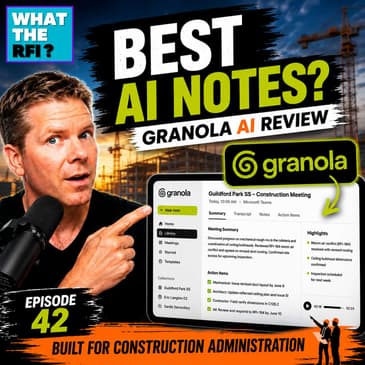
Meeting minutes are one of the most valuable records in Construction Administration, but they can also be one of the most time-consuming tasks. In this episode of What the RFI?, Matt Brennan shares how Granola AI has transformed the way he captures meeting notes, documents decisions, and follows up on action items across multiple construction projects.
Unlike traditional AI meeting assistants that rely on intrusive bots joining your calls, Granola works quietly in the background, allowing you to stay engaged in conversations while automatically organizing your notes into clear, searchable summaries. Whether you're attending Microsoft Teams meetings, walking a construction site, or taking an important phone call, Granola helps ensure nothing falls through the cracks.
Matt discusses why he moved away from other AI note-taking tools, how Granola fits into his daily Construction Administration workflow, and why this may be one of the most valuable AI productivity tools available today for architects, project managers, consultants, and contractors.
If you've ever struggled to remember what was discussed weeks or even months after a meeting, this episode is for you!
In this episode, we discuss:
- Why accurate meeting notes are critical in Construction Administration
- Granola AI vs. traditional AI meeting assistants
- Recording Microsoft Teams meetings without intrusive bots
- Capturing notes during site meetings and phone calls
- AI-generated meeting summaries and action items
- Organizing notes by project for quick retrieval
- Real-world productivity gains for architects and project managers
- Why AI should enhance your workflow—not replace your expertise
Chapters
- 00:00 - Introduction
- 03:00 - Why Meeting Minutes Matter
- 05:01 - Why I Switched to Granola AI
- 08:01 - What Makes Granola Different?
- 11:01 - Granola AI vs. Other AI Note Takers
- 15:00 - My Construction Administration Workflow
- 18:01 - Site Meetings, Phone Calls & Teams
- 22:01 - AI-Generated Meeting Summaries
- 26:01 - The Game-Changing Features
- 30:01 - AI Prompts & Custom Templates
- 34:01 - Project Organization & Search
- 38:01 - My Thoughts on AI in Construction
- 41:30 - Final Thoughts & Recommendation
Whether you're an architect, engineer, contractor, owner's representative, or Construction Administrator, this episode demonstrates how AI can help you spend less time documenting meetings and more time delivering successful projects.
Ready to give Granola AI a try? Use my referral link to receive an extra month free while supporting What the RFI?:
https://www.granola.ai?via=matt-brennan
Got an RFI for Matt? Send it here!
🎙️Website - WhattheRFI.com
🍏Apple Podcast - What the RFI?
🎧Spotify - What the RFI?
🎥YouTube - @WhatTheRFI
<b>Is there a better way of</b><b>taking your meeting notes?</b><b>Actually, yes, there is.</b><b>And we're gonna dive into that today.</b><b>Let's get into it.</b><b>(upbeat music)</b><b>Welcome to What the RFI.</b><b>I'm Matt Brennan, and this</b><b>is the podcast all about CA.</b><b>So today, we're gonna</b><b>talk about meeting notes.</b><b>And with meeting notes, it's</b><b>something that we do daily.</b><b>We do it at our monthly</b><b>construction site meetings.</b><b>It's maybe a general phone call.</b><b>Maybe it's an in-person meeting.</b><b>Maybe it's a client meeting.</b><b>It happens all throughout.</b><b>And the question is,</b><b>how are you tracking it?</b><b>And there's a lot of value of tracking it</b><b>because we're human beings.</b><b>We can only digest so much.</b><b>And when you ask me, what</b><b>did we talk about last week?</b><b>What did we talk about six months?</b><b>What did we talk about 24 months ago</b><b>during the design process?</b><b>That's where meeting notes are very key.</b><b>So today, we're gonna do,</b><b>this is gonna be one of</b><b>three show part sessions.</b><b>Okay?</b><b>And we're kind of reversing it</b><b>because we're gonna get</b><b>into the end of this thing</b><b>where we're gonna talk</b><b>about AI note takers.</b><b>And I know it's kind of reversed.</b><b>Why wouldn't you start at</b><b>the beginning and build up?</b><b>Because I want to bring</b><b>a new perspective to this</b><b>and think about today's technology</b><b>and how we can start to utilize it</b><b>in our day-to-day operations.</b><b>All right?</b><b>So today we're gonna</b><b>talk about AI note takers.</b><b>Next show, we're going to talk about</b><b>actually taking a</b><b>construction site meeting notes.</b><b>And then the first show,</b><b>we're gonna talk about your initial</b><b>kickoff construction.</b><b>So it's like I said, it's</b><b>a reverse way of doing it,</b><b>but there's some</b><b>value in going that route</b><b>because you're gonna, again,</b><b>I think it's gonna build up foundation</b><b>in a different unique way</b><b>from a learning perspective.</b><b>Okay?</b><b>So like I said, today's show,</b><b>we're talking about an AI note takers.</b><b>And there's a bunch</b><b>that we'll kind of bring up</b><b>to the screen and go through it.</b><b>And like I said, I think</b><b>we'll bring some perspective</b><b>because again, you might</b><b>already be taking notes.</b><b>So this episode is</b><b>gonna be really key to that.</b><b>Now, if you're</b><b>listening, fantastic, love it.</b><b>This has always been</b><b>recorded in the video format.</b><b>It's posted to the</b><b>YouTube channel, what the RFI.</b><b>And I'm gonna be sharing my screen.</b><b>I'm gonna do my absolute best to describe</b><b>what I'm talking about.</b><b>But I think for the benefit,</b><b>if you wanna see this in action,</b><b>go to the YouTube channel</b><b>and check it out there and see.</b><b>But again, I'll explain as you're</b><b>listening on your drive</b><b>or wherever you're doing</b><b>your run and that, okay?</b><b>And of course, if you</b><b>check out the YouTube,</b><b>like and subscribe, of</b><b>course, it always helps.</b><b>So let's get right into it.</b><b>AI note takers, what is it?</b><b>What's the difference between a general</b><b>taking your own meeting</b><b>notes and an AI note taker?</b><b>Well, of course, meeting notes,</b><b>and we'll dive into</b><b>this in the next episode,</b><b>is that you manually inputting it.</b><b>And hopefully you're</b><b>catching everything, right?</b><b>You're typing it, you're</b><b>making your own physical notes.</b><b>Okay?</b><b>In today's revolution of AI technology,</b><b>we have AI note</b><b>takers out there now, okay?</b><b>There's lots of</b><b>products in respect to that.</b><b>And almost think of like an AI note taker</b><b>is that person in that courtroom</b><b>that's typing on a little typewriter</b><b>and transcribing in real time, right?</b><b>You're basically bringing</b><b>that assistant into your meeting.</b><b>Okay?</b><b>So that's, like I said,</b><b>I'm gonna show you how,</b><b>because there's a couple of things</b><b>that we can get into this, okay?</b><b>And in terms of AI</b><b>note takers, guess what?</b><b>You've probably been</b><b>in a meeting already.</b><b>You've been in that Zoom call,</b><b>you've been in that Google</b><b>meets or that Teams call,</b><b>and that AI bot wants</b><b>to join the meeting.</b><b>You've already seen</b><b>this, you've been president,</b><b>and you've probably</b><b>raised your eyebrow going,</b><b>what's going on?</b><b>Who is this?</b><b>What is this?</b><b>I don't wanna be recorded.</b><b>I've had clients, I've</b><b>had city officials saying,</b><b>we're not attending any meetings</b><b>when there's an AI note taker, okay?</b><b>Reason being, do they not</b><b>wanna be held accountable?</b><b>I don't know.</b><b>But it's today's technology,</b><b>and there's some really powerful tools</b><b>that you're gonna see</b><b>through this day's episode.</b><b>So through some of the common ones</b><b>you've probably already seen is</b><b>Microsoft's Copilot used it.</b><b>Not impressed, don't</b><b>waste your time, to be honest.</b><b>One I did use for a</b><b>number of years was Fathom,</b><b>and this is one that was really good.</b><b>It came in, it recorded</b><b>the call, it was a bot,</b><b>and then afterwards you</b><b>could go and ask it questions</b><b>and that respect, but it</b><b>always had to join the meeting,</b><b>and you always had to</b><b>rewatch stuff, okay?</b><b>And then there was ReadAI,</b><b>which is very similar to that.</b><b>And then there was one</b><b>that I was dabbling with</b><b>called Decisions, and this one was linked</b><b>and it actually, you could</b><b>kinda set up the template.</b><b>It was kinda hokey,</b><b>I've got one contractor</b><b>it uses on a weekly basis.</b><b>They enjoy it, but it only uses Teams.</b><b>And today's episode is</b><b>we're gonna talk about Granola.</b><b>This is the one that I've enjoyed using.</b><b>I've been using it for the</b><b>last almost six months now.</b><b>I've been very, very impressed, okay?</b><b>And let's just be very</b><b>clear about this episode.</b><b>By Granola, Granola</b><b>did not reach out to me.</b><b>I reached out to them,</b><b>and which they did give me</b><b>an awesome referral code,</b><b>which I'll put in the link</b><b>in the description below.</b><b>The referral code basically</b><b>gets you one full free month,</b><b>which is great.</b><b>And it also gives me a</b><b>kickback and helps maintain</b><b>and pay for the show to</b><b>continue being broadcast</b><b>on all the stream services</b><b>that you guys love to listen.</b><b>So let's get into it.</b><b>Why did I select Granola?</b><b>Why?</b><b>Like I said, I started six months ago,</b><b>getting back into the</b><b>architectural field,</b><b>taking meeting notes daily,</b><b>running monthly site meetings for a</b><b>number of key projects.</b><b>At the end of the day,</b><b>it just made sense to</b><b>get an AI note taker.</b><b>And I ran through the courses again.</b><b>I tried my Thathom, I tried the ReAI.</b><b>And the one thing that really bothered me</b><b>with a lot of these apps is that they</b><b>need to join the call.</b><b>And that would set a</b><b>bad taste to everyone.</b><b>Sometimes even like a</b><b>contractor would boot it</b><b>from the call, then that</b><b>was useless in my opinion.</b><b>And my meetings aren't always online.</b><b>A good portion of them are,</b><b>but typically I'm in person.</b><b>Or I'm just grabbing a</b><b>few people from the staff</b><b>and running through a project design,</b><b>and I need something I</b><b>can grab right there.</b><b>I can't invite everyone to Teams,</b><b>even though we're in the flesh.</b><b>So that was kind of my first thing.</b><b>I was looking for a note</b><b>taker that did not join the call.</b><b>That was the first thing.</b><b>The other thing is I take notes.</b><b>I give our junior staff a hard time</b><b>if they come up to me and</b><b>they're looking for stuff to do</b><b>and we start talking about stuff</b><b>and I see absolutely no writing down.</b><b>I give them a hard time.</b><b>I'll literally tell</b><b>them, go grab their notebook,</b><b>come back and let's talk</b><b>because there's no way</b><b>they're gonna comprehend</b><b>everything that we're talking about.</b><b>So I've always been on the side of things</b><b>where I need to take</b><b>my own personal notes.</b><b>I'm really good at that</b><b>because it's so</b><b>important that you're digesting</b><b>what the person says, you're listening,</b><b>you're making notes of it,</b><b>and then you're going</b><b>back and you're right away,</b><b>you're not going, what did I miss?</b><b>So it's really important.</b><b>So I wanted an app where I could actually</b><b>put notes into it.</b><b>And that's where a lot</b><b>of these AI note takers,</b><b>decisions and fathoms, you can't do that.</b><b>You can't go in and</b><b>start adding your notes</b><b>and combine and merge in the two.</b><b>That was just flat out.</b><b>And this is where granola</b><b>made it a little different.</b><b>As you actually type your notes,</b><b>and I'm gonna show you this in a second,</b><b>it actually lets you write your notes</b><b>and then through the AI notation,</b><b>it puts it back and forward.</b><b>And like I said, most of all,</b><b>I needed a note taker</b><b>that I could take in person,</b><b>online, when a phone call is received,</b><b>or just again, a group of people together</b><b>in that spontaneous moment,</b><b>I wanted a note taker that</b><b>I could just grab and go.</b><b>And that's where granola</b><b>really starts to shine too.</b><b>And so when I discovered granola,</b><b>it really checked all</b><b>these boxes and more.</b><b>And there's a few</b><b>things that we're gonna show</b><b>that's just game changer</b><b>throughout this little demo</b><b>and this introduction to it.</b><b>And a little bit about the company,</b><b>when they started up,</b><b>they raised 20 million</b><b>in their first original</b><b>seed fund in the first week.</b><b>So really impressive.</b><b>And then I think a few months later,</b><b>they went up to 128 million.</b><b>So they definitely are</b><b>valued as a great company</b><b>in that sense, in</b><b>today's world and what it is.</b><b>And definitely, like I said,</b><b>I can see why they've</b><b>got the funding for it.</b><b>And one thing to just be really clear</b><b>about what really</b><b>interested me with granola as well,</b><b>because it's not an AI</b><b>bot that joins the calls.</b><b>It doesn't record video</b><b>and it does not record audio.</b><b>So how does this work?</b><b>Well, what it does is it</b><b>live transcribes everything.</b><b>So as I'm talking to you,</b><b>and we're gonna pull</b><b>this up in a half a second,</b><b>you get to see how it all works.</b><b>It live transcribes</b><b>the whole conversation.</b><b>So I think there's some value about that.</b><b>Yes, you should be</b><b>transparent with your clients</b><b>and your team that</b><b>you're live transcribing this,</b><b>but you're not recording</b><b>it in both video and audio.</b><b>And I think that's a bit of,</b><b>gives you a little bit more flexibility</b><b>where someone's like,</b><b>"Well, I don't want to be recorded."</b><b>Well, you're not, right?</b><b>I'm just getting texts</b><b>from this conversation.</b><b>Same thing if you pulled up your iPhone</b><b>and use the voice memo</b><b>map, voice app and everything,</b><b>you record your message, it</b><b>does a lot of transcription.</b><b>That's all it's doing.</b><b>It doesn't know exactly who's talking,</b><b>but once you start making</b><b>reference to that person,</b><b>then it kind of starts to figure out</b><b>and starts connecting thoughts.</b><b>So without further ado,</b><b>let's get into granola.</b><b>Like I said, if you're listening,</b><b>I'm gonna do my best to kind</b><b>of describe what I'm doing,</b><b>but if I jump over to the YouTube channel</b><b>and then watch it there</b><b>because where I'm gonna</b><b>start to screen share this</b><b>right off the bat, get go.</b><b>So here we go, let's do this.</b><b>So welcome to granola.</b><b>So the first thing I</b><b>just want to point out,</b><b>when you set up and install it,</b><b>the first thing it's going to do,</b><b>it's going to ask you to</b><b>connect it to your email.</b><b>And that's really important,</b><b>whether it's your Gmail suite</b><b>or your Microsoft Office 365.</b><b>And why is that important?</b><b>Well, it automatically</b><b>syncs up your calendars.</b><b>And that is the most critical thing</b><b>because the moment you jump into granola,</b><b>it's gonna look at all</b><b>your upcoming meetings.</b><b>And we'll dive into this element</b><b>of why this is beneficial in a minute.</b><b>So your calendar connects on the left</b><b>side and everything,</b><b>and you can hide it here.</b><b>We've got all our spaces, our notebooks,</b><b>basically all for all my projects.</b><b>Maybe you've got some</b><b>personal items in that sense.</b><b>And then of course all the settings</b><b>and we'll get into the</b><b>nitty gritty in a moment.</b><b>And of course there's</b><b>the AI chat component,</b><b>which again, we're gonna do</b><b>an extensive review of that.</b><b>So let's just get into a basic note.</b><b>Let me just kind of</b><b>show you how this works.</b><b>So as soon as I click on new note,</b><b>we're in production and</b><b>you'll see it's actually working</b><b>because it's live transcribing.</b><b>If we were having a</b><b>conversation right now,</b><b>it would be live</b><b>transcribing this and it's fantastic.</b><b>And it would know</b><b>between the two components.</b><b>And right away you</b><b>can add your own title.</b><b>Now, teaser, it's going</b><b>to do that for you anyways,</b><b>but I want control</b><b>because I like taking</b><b>my own physical notes.</b><b>So we're gonna call</b><b>this a granola CA demo.</b><b>And the way it works is</b><b>you can type in your notes.</b><b>This is where I add my notes.</b><b>So you can just type it as you please.</b><b>But where it becomes really powerful</b><b>is basically we're</b><b>gonna do a number sign space</b><b>and it turns into a</b><b>title and this is the intro.</b><b>And from there, I'm</b><b>gonna go to the next line</b><b>and I'm gonna do a dash space</b><b>that's gonna automatically categorize it.</b><b>So this is how you take your notes</b><b>as you normally would.</b><b>So once you kind of get into this habit</b><b>of understanding how the program works,</b><b>just these two simple methods,</b><b>your notes are gonna become very refined.</b><b>So basically we did a</b><b>user intro to the UI</b><b>and then we're going to basically demo</b><b>the live note taking.</b><b>And you can keep going in there</b><b>and maybe you got off on just talking</b><b>and actually listening</b><b>and being part of it.</b><b>And you forget what</b><b>you're doing and that's okay.</b><b>That's where this is gonna go.</b><b>Sometimes when you're in</b><b>some of these big meetings</b><b>and you get a little</b><b>confused what's going on</b><b>and you've kind of dazed off</b><b>or you're checking</b><b>emails and you're doing it.</b><b>At the bottom here is this is where</b><b>this becomes really powerful.</b><b>And I haven't seen this one</b><b>with any other note takers.</b><b>You can basically, if</b><b>you've used chat GPT or cloud</b><b>or any of these kind of AI</b><b>tools is we can talk to it.</b><b>So they've got these</b><b>things called recipes.</b><b>And again, we'll dive</b><b>into this a little deeper</b><b>later in the video.</b><b>So the first one, the one of</b><b>the recipes that I like to use</b><b>and you can see that almost a million</b><b>have used it as well</b><b>that have started saying</b><b>it's great is what did I miss?</b><b>Well, if you start to zone out</b><b>is going to basically come up</b><b>and tell you what is going on.</b><b>You can even make recipes</b><b>saying make me sound smart</b><b>and it'll kind of take</b><b>what's happened in the transcripts</b><b>and put it together.</b><b>Maybe you want to suggest a question</b><b>and it's sometimes</b><b>these work really well.</b><b>What I miss works really well.</b><b>It really, really does.</b><b>And it goes into that detail.</b><b>So that's kind of a</b><b>powerful thing with it.</b><b>We'll talk about where this</b><b>becomes extremely powerful</b><b>later in this conversation.</b><b>So we come through all this,</b><b>we've done our own physical notes</b><b>and we're basically done with the call.</b><b>Thanks for joining us.</b><b>And we're going to wrap it up.</b><b>And at this point, I'm going to click</b><b>and it would automatically stop.</b><b>But again, just to be</b><b>safe, I'm going to click.</b><b>And at this point, the meeting's done.</b><b>Now we've got this enhanced notes now</b><b>because it's got a full transcript here</b><b>of everything we've talked about.</b><b>It's going to take my notes and then</b><b>start to enhance it.</b><b>So what it's doing is</b><b>it took my live notes</b><b>that I physically put in there</b><b>because that's really important to me.</b><b>I want you to do that there.</b><b>And from there, it starts to add</b><b>all the extra little benefits.</b><b>So under my intro, user intro,</b><b>use intro to the UI, demo</b><b>of the live note taking,</b><b>and then under of it, it added the</b><b>additional comments,</b><b>lives transcribing,</b><b>active during session,</b><b>noted type more.</b><b>And maybe you want to</b><b>add up more to this.</b><b>Maybe you want to write up an email.</b><b>This is where you can</b><b>start to use this tool.</b><b>We would automatically</b><b>note who was in the meeting,</b><b>which is great so we can keep track</b><b>that it was the three individuals,</b><b>the three construction</b><b>PMs, whatever the case is.</b><b>I can add it to a folder.</b><b>So we're going to add</b><b>that to one of my projects,</b><b>you know, my Sardis</b><b>school, my Langton, whatever,</b><b>whatever project that I'm working on,</b><b>I can add it in there.</b><b>And then even to up here on</b><b>where it says my notes enhance</b><b>is I can go to my original</b><b>notes to what the AI did.</b><b>So you can see it.</b><b>And when using this tool,</b><b>I meet with owners on a weekly basis.</b><b>We do a standard</b><b>owners architects meeting</b><b>where we're just dealing</b><b>with items for their project.</b><b>And of course, after</b><b>we've done these calls,</b><b>you can copy these notes</b><b>and just blast it by email.</b><b>And boy, are they impressed.</b><b>Holy smokes, look at</b><b>these detailed notes.</b><b>Now, where the downfalls</b><b>are on this is sometimes</b><b>if you've got someone</b><b>that has a unique name,</b><b>yeah, you may want to</b><b>check the spelling of that.</b><b>Sometimes it'll work, sometimes it won't.</b><b>Maybe your project name is different.</b><b>Maybe again, you're</b><b>really contractual term,</b><b>sometimes it may not, but</b><b>overall, that's pretty good.</b><b>Take a quick skim and for</b><b>some reason if it doesn't,</b><b>you know, again, and be</b><b>honest that you're using this</b><b>with your clients in that respect, okay?</b><b>So copying send, that's</b><b>absolutely huge with it.</b><b>And so this was a</b><b>quick little fun exercise.</b><b>It didn't really</b><b>relate to our day to day.</b><b>It was a real product.</b><b>Let's do an actual CA meeting.</b><b>Because I think this is where you guys</b><b>are going to realize</b><b>that this is a really,</b><b>really powerful tool.</b><b>So let me go back home.</b><b>I'm going to do a brand</b><b>new note and here we go.</b><b>All right, you know,</b><b>welcome to the call owner</b><b>and let's talk about project A.</b><b>So first off, let's, for our CA,</b><b>let's review the outstanding RFI's.</b><b>And this is where in</b><b>granola, we want to announce eight</b><b>things, it was really, really important.</b><b>If you just say the</b><b>elevator RFI, that's good,</b><b>but I want to get in details.</b><b>So we've got RFI 12 elevator switch.</b><b>And then at this point, we</b><b>can even do a sub column of it,</b><b>follow up on electrical.</b><b>And we got RFI 22 door hardware keying.</b><b>Owner, are you going to do that?</b><b>Yeah, I'm going to,</b><b>you're going to actually,</b><b>I encourage you as the</b><b>owner to go and talk to your</b><b>maintenance staff, how they</b><b>want the key and keying all</b><b>the light to the whole</b><b>building, key, separate rooms,</b><b>classroom locks, how</b><b>are the cabinet locks?</b><b>How are they going to be key?</b><b>I'm going to leave</b><b>that to you to follow up.</b><b>Take note, I didn't add</b><b>anything under that note,</b><b>but I did put a title of</b><b>it, like kind of a sub column.</b><b>And that's fantastic.</b><b>Cause it's going to do that.</b><b>Let's keep going.</b><b>So we've got some shop drawings, some</b><b>submittals to review.</b><b>So, you know, we got the</b><b>door hardware and, you know,</b><b>we're going to make a note,</b><b>coordinate this with RFI 22.</b><b>And then we've got the aluminum glazing,</b><b>waiting for building an envelope.</b><b>And again, take the</b><b>time, write these out.</b><b>Cause it's really important, right?</b><b>That's a hands down,</b><b>that's a key element of it.</b><b>And if you're using</b><b>Grammarly, yes, it will work right</b><b>in the room by the way too.</b><b>And then you just keep going.</b><b>And then maybe we've got</b><b>some owner request items.</b><b>Sidewalks to change</b><b>to raised parking lot.</b><b>Put some more notes.</b><b>We talk about that.</b><b>Yeah, we have two</b><b>sidewalks that we want to be raised</b><b>on the north side.</b><b>Down on the south side, we</b><b>can do a standard let down,</b><b>painted crosswalk and then back to let</b><b>down and get back up.</b><b>So let's do that.</b><b>In doing that, we want</b><b>them to be painted yellow</b><b>because that's our</b><b>school district standard.</b><b>And in addition to that,</b><b>the concrete surrounding,</b><b>what we'll do is some exposed aggregate</b><b>or stamped concrete,</b><b>that kind of effect at that location.</b><b>Sounds good.</b><b>By the way, Granola, what did I miss?</b><b>Check it out, it'll do that.</b><b>And you just keep going</b><b>and do this for changes</b><b>because that's always a</b><b>good topic to changes.</b><b>Quote 163, door elevator,</b><b>stainless, process of CO.</b><b>And talk all about changes.</b><b>Quote 164, the request for</b><b>extra on the additional topsoil.</b><b>No, we will decline</b><b>this as per the contract.</b><b>It didn't note that.</b><b>I think that's a</b><b>great thing to do, owner.</b><b>I don't agree with this change</b><b>that the contractor's providing.</b><b>And I think that's it.</b><b>Any other aims we haven't talked about?</b><b>No, fantastic, great.</b><b>Thanks for doing the call</b><b>with me and we'll talk again.</b><b>Done.</b><b>Now, kind of as we</b><b>did some of these notes,</b><b>let's refine this and we're</b><b>gonna run through the notes</b><b>that is provided and</b><b>you're gonna start to see</b><b>where this is really,</b><b>really, really slick.</b><b>So RFI12, elevator,</b><b>swish, follow up on electrical.</b><b>That was pretty straightforward.</b><b>There's no more</b><b>information we did talk about that.</b><b>So my note kind of stood true.</b><b>RF22, door harbor keying.</b><b>I didn't put anything in that.</b><b>I didn't actually know that.</b><b>But both the owner and</b><b>I were talking about it</b><b>and I wanted to consult</b><b>with maintenance staff</b><b>on keying preference,</b><b>whole building, key to light</b><b>versus separate rooms,</b><b>classroom locks, cabinet locks.</b><b>Fantastic.</b><b>This is great.</b><b>And we can even</b><b>expand these notes as well.</b><b>And we can go into detail.</b><b>And that's where we've got</b><b>these things called templates.</b><b>And let me go through the rest</b><b>and I'll show you how a</b><b>template works for all these.</b><b>Then we've got submittals,</b><b>nothing was really added there.</b><b>The owner requested</b><b>items, sidewalks changed,</b><b>res raised parking lot,</b><b>north side, two res sidewalks.</b><b>Now here's the AI notes.</b><b>South side, standard</b><b>let down, painted cross,</b><b>let down, back up, painted</b><b>yellow, school district standard,</b><b>surrounding concrete, exposing aggregate</b><b>or stamped concrete finish.</b><b>This is fantastic.</b><b>This does wonders in that respect.</b><b>And because in granola,</b><b>because I'm always having</b><b>the same type of meetings,</b><b>well, guess what?</b><b>You can apply this with,</b><b>you can make these templates.</b><b>So owner meeting CA focus.</b><b>And this is my standard way</b><b>I always run these meetings.</b><b>And by doing it, it's</b><b>actually going to rearrange</b><b>these notes based on</b><b>that categories that I set.</b><b>My basically I had general updates,</b><b>RFI submittals, owner</b><b>request items, changes,</b><b>pricing, action items,</b><b>and it lists it all out.</b><b>And this is what I would copy</b><b>and send off to my</b><b>clients after my phone call.</b><b>And you would just be</b><b>for our email record.</b><b>Now I don't take those notes</b><b>and I don't paste them into a Word</b><b>document to keep them</b><b>because we're using granola</b><b>and we've got them</b><b>here at any given moment.</b><b>Okay.</b><b>So with your now kind of going back,</b><b>I just want to show you why</b><b>the calendar was so important.</b><b>If I've got a couple</b><b>of meetings coming up,</b><b>I've got a meeting coming</b><b>up on Thursday, July 9th.</b><b>And actually let me go here.</b><b>Actually I got some meetings next week.</b><b>I've got a consultant meeting</b><b>to talk about RF3 coordination.</b><b>Because this is a future</b><b>meeting in my calendar,</b><b>well, I can come in here</b><b>and I can rewrite my notes.</b><b>So I'm going to just</b><b>basically going to say general.</b><b>And I'm going to say fire spray</b><b>has already been</b><b>discussed at previous meetings.</b><b>And I know what this meeting is about</b><b>and yet something is</b><b>becoming an ongoing conversation.</b><b>So the thing is why let me do this</b><b>is I can pre-put some</b><b>of my notes into it.</b><b>I do have a, on Tuesday,</b><b>I've got an owner's rep meeting here</b><b>where I've already put my notes.</b><b>We're going to talk about opera walls.</b><b>We're going to talk about a tree permit</b><b>and we're going to</b><b>talk about some IFC specs</b><b>and how they're getting wrapped up.</b><b>If I want to add more</b><b>notes, I can just do that.</b><b>So I can preload these notes ready to go.</b><b>Once we jump into the call,</b><b>I already have these set up,</b><b>these kind of agenda items</b><b>that I want to talk about.</b><b>And then we can dive into the details.</b><b>And that is kind of the slick thing.</b><b>And because this connects with Teams,</b><b>this connects with any of your Google</b><b>Meets and everything,</b><b>it will automatically</b><b>pop up in that respect.</b><b>So this brings me to the conversation</b><b>of when to use Granola.</b><b>Well, first of all, I use this daily,</b><b>quite a few times in a day.</b><b>As we've already discussed,</b><b>doing my ongoing online</b><b>meetings, Teams calls,</b><b>that goes without saying,</b><b>basically a quick</b><b>owner's architects meeting,</b><b>a conversation with a</b><b>contractor, whatever it takes.</b><b>If it's on Teams, it's</b><b>immediately being brought in</b><b>to Granola, really simple on the</b><b>sidelines in that respect.</b><b>Say if I get a phone call,</b><b>well, our office is run through Teams,</b><b>so we don't have dedicated</b><b>phone lines, which is great.</b><b>It actually runs through Teams.</b><b>So when I get a call receptionist,</b><b>hey, so-and-so is on the call,</b><b>contractors on call,</b><b>great, put them through.</b><b>Put my headset on, and guess what?</b><b>Granola actually pops up on</b><b>top of my screen and says,</b><b>hey, click here to start the meeting</b><b>if you wanna record this.</b><b>Absolutely, it's great.</b><b>And then we would</b><b>just automatically put it</b><b>into the project folder.</b><b>It knows who I'm talking to</b><b>because it's all the Teams.</b><b>It's great in that respect.</b><b>And maybe we're doing a site</b><b>walk after the site meeting.</b><b>Well, there's an iPhone app</b><b>that I can start recording.</b><b>I've done that.</b><b>We've been walking around the site</b><b>where we're talking about Shaw Creek,</b><b>and we had to basically</b><b>add some additional dowels</b><b>for the Shaw Creek to</b><b>hold the rebar in place</b><b>because of the</b><b>flexibility that it was giving,</b><b>and we just weren't</b><b>confident that it was gonna hold,</b><b>and we didn't wanna see</b><b>cracking down later road.</b><b>Because this was ought to</b><b>digest, I opened up my phone,</b><b>I ran granola in the</b><b>background, and just recorded,</b><b>made a couple notes on it,</b><b>as you would in that respect.</b><b>And then once we're done, I had a</b><b>conversation already,</b><b>already written out for that</b><b>change that I had to issue out.</b><b>And I think that's</b><b>where it's really critical.</b><b>And of course, a lot of my</b><b>site meetings, guess what?</b><b>They're in person, so</b><b>I'm not on a Teams call,</b><b>but I'll run granola in the background</b><b>while I do my primary meeting notes.</b><b>And again, next episode, I'm</b><b>gonna show you how I do that</b><b>with this combination, right?</b><b>Okay, so we've kind of</b><b>talked about why granola.</b><b>I mean, you've kind of seen high level,</b><b>why this is really cool,</b><b>and you can start to see</b><b>why I'm getting really excited</b><b>about this application, okay?</b><b>This is where granola changes the game.</b><b>This is the power of granola.</b><b>And so when you finish the meeting,</b><b>this is where granola</b><b>really shines, okay?</b><b>So first off, I can go back to this,</b><b>the note that we just did,</b><b>our mock owners</b><b>architects meeting right now.</b><b>I'm gonna go back into this,</b><b>because this happened two days,</b><b>this happened six months ago, right?</b><b>You can ask it anything.</b><b>So we asked,</b><b>basically before we could say,</b><b>"Hey, what did I miss during the call?"</b><b>But now the recipes have shifted to,</b><b>"What are my to-dos?"</b><b>And it won't make a list of my to-dos.</b><b>Okay, that's great, that's fantastic.</b><b>One thing that we can</b><b>do is we can actually</b><b>help this draft up a CCN, right?</b><b>If we talk during the meeting,</b><b>we could say what type</b><b>of CCN for this change,</b><b>the owner change.</b><b>So let's actually try it out.</b><b>Draft out CCN for the owner</b><b>change for the crosswalks, okay?</b><b>And it's gonna go through,</b><b>proposed change, revised</b><b>parking lot, sidewalks,</b><b>and everything, provide two raised car,</b><b>everything, reason for change,</b><b>scope review, requires provides.</b><b>So you can do this, you can talk more,</b><b>we can shorten this,</b><b>we can put this into a</b><b>simplified description.</b><b>This is great to kinda craft it out.</b><b>My opinion on AI,</b><b>and you've heard me say</b><b>it on the show before,</b><b>but I'm just gonna repeat it again,</b><b>is AI is an incredible tool,</b><b>but you need to know how to use it,</b><b>you need to know how to drive.</b><b>And a good little simple example is,</b><b>you got your 16 year old kid,</b><b>he's got it, he just got his license,</b><b>and you give him your sports car,</b><b>your Ferrari, Corvette, your Mustang,</b><b>whatever the case, you</b><b>give him the keys and say,</b><b>"Go for it, he's gonna</b><b>wrap it around the pole."</b><b>There's so much power in this application</b><b>that they're going to</b><b>destroy themselves in that respect.</b><b>They're not gonna</b><b>understand in circumstances</b><b>when they get put in</b><b>that odd mind what to do,</b><b>because there's no experience.</b><b>And that's where AI is.</b><b>Given to someone</b><b>that's been in the industry</b><b>for a long time,</b><b>that's done their homework,</b><b>it's fantastic because you can call them,</b><b>you can just frankly</b><b>read out the bullshit</b><b>that it puts out to you.</b><b>And you can see that it's just not true.</b><b>Or you can go, "That's good, but I'm</b><b>gonna make it better."</b><b>And you become the</b><b>director, the conductor</b><b>of this orchestra and</b><b>you're playing with AI.</b><b>That's where it's really powerful.</b><b>You need to know what you're doing.</b><b>And this is the same</b><b>thing with these notes.</b><b>"I'm taking this live</b><b>transcript, help me create this.</b><b>I can write my own CCN for this,</b><b>but this is just</b><b>gonna add that extra level</b><b>of professionalism,</b><b>critique, and also making sure</b><b>that it's not gonna fall</b><b>short with the contractor."</b><b>So this is where it</b><b>becomes really, really powerful.</b><b>You can ask the questions even more.</b><b>One thing, if there</b><b>was a meeting going back,</b><b>let's look at previous meetings.</b><b>So this is where I can go to,</b><b>let me go into an actual project here.</b><b>And I can go into, I think I had,</b><b>let me go into one of my meetings.</b><b>Yeah, go into here.</b><b>I can ask you questions such as,</b><b>did we talk about, around about?</b><b>And you can basically ask questions</b><b>because sometimes</b><b>this is really critical.</b><b>What was the dates</b><b>given for this install?</b><b>And I didn't even spell install properly.</b><b>The thing is, this is</b><b>really, really powerful.</b><b>You can start treating</b><b>this as like your chat GPT</b><b>because it's using chat,</b><b>but it's also like your Google insights</b><b>based on previous information.</b><b>I think that's really cool about that.</b><b>And that's where granola really shines.</b><b>Now where it becomes</b><b>really powerful with this</b><b>is when you go into the projects,</b><b>we can ask about the folder.</b><b>So again, because this is a project</b><b>and I've got everything about,</b><b>I wanna ask what is the</b><b>term that you're gonna ask?</b><b>Turnover dates provided</b><b>for the road A handover.</b><b>And it's gonna go</b><b>through my whole entire notes</b><b>on that project.</b><b>And it's gonna look</b><b>at every single meeting</b><b>and start to look at it.</b><b>The most recent</b><b>meeting, let me check in those.</b><b>It'll go through and</b><b>start to pull up all the notes</b><b>and say, well, we</b><b>talked about the deadlines,</b><b>the construction schedule.</b><b>As of June 24th, August</b><b>1st was there, August 14th.</b><b>And then before,</b><b>and you can go through all</b><b>the other previous notes.</b><b>So it'll go through every</b><b>single meeting for this.</b><b>It's really, really, really powerful.</b><b>And I think this is where</b><b>this changes the game for anyone</b><b>because you can only take in so much.</b><b>That's the reality of it.</b><b>In our lovely construction reality here</b><b>that everyone will point fingers.</b><b>And they're certain that</b><b>we said this, well, hold on.</b><b>I'm a human being.</b><b>I don't like, I'm very</b><b>cautious in a meeting</b><b>that I would basically</b><b>hold to something I said</b><b>because unless I damn</b><b>well knew that it's there,</b><b>I'm not going to say I know.</b><b>I'm very cautious where I</b><b>wanna put the elements into it.</b><b>And that's where, again,</b><b>granola is really slick</b><b>because I can go back</b><b>and I say, if someone said,</b><b>oh, we didn't talk about this,</b><b>I can just search it in</b><b>that folder and holy smokes.</b><b>It's saved my butt so many times.</b><b>And I can do it live, right in person,</b><b>right in those construction meetings.</b><b>Actually, no, in meeting 37,</b><b>we talked about this pricing.</b><b>38, we talked about</b><b>refine, we got revised pricing.</b><b>And then 39, we are gonna process the CO.</b><b>You agree to this, right?</b><b>Or like, again, talking about</b><b>construction scheduling,</b><b>like that's always a critical one.</b><b>Oh, I didn't say that.</b><b>What did the transcript size say?</b><b>And it's just holding</b><b>everyone accountable to it.</b><b>And that's where this</b><b>program is very, very, very slick.</b><b>And I love it on that aspect of it, okay?</b><b>Beside the spaces and everything,</b><b>we will dive into the recipes here.</b><b>This is where, again, you</b><b>can create your own recipes.</b><b>You can look at other people's recipes,</b><b>look again, best practices.</b><b>It's pretty cool what you can do.</b><b>And again, I've been</b><b>talking about granola</b><b>as an AI note taker for my</b><b>construction CA practice.</b><b>This can be used from sales, right?</b><b>You can use it for</b><b>one-on-ones, pretty much anything,</b><b>because a meeting is a meeting.</b><b>It's what are you trying to do?</b><b>What are you trying to achieve?</b><b>It's a very, very powerful</b><b>program in that respect, okay?</b><b>And the other thing is you</b><b>can add your own team to this,</b><b>and you can share your team folders</b><b>for all the projects</b><b>that you're working on.</b><b>So again, if I'm in multiple,</b><b>if we're basically, I've</b><b>got a couple of colleagues</b><b>who are in the same project as I am,</b><b>only one of us to do it, and we can</b><b>always see the notes,</b><b>and we can always record it.</b><b>Or we can basically</b><b>both do note, both note,</b><b>on both sides, and then we</b><b>can compare our own notes</b><b>with the AI notes, and it's</b><b>gonna be that very powerful.</b><b>So great to have your</b><b>organization on it in that respect,</b><b>and you can kind of</b><b>cycle between the companies.</b><b>And the other thing I</b><b>just wanted to point out</b><b>is in the settings here,</b><b>there was my templates</b><b>that you can basically go and create</b><b>those recipes for it.</b><b>That's really slick.</b><b>I'm trying to remember</b><b>where it was in the settings,</b><b>but basically doing</b><b>those templates, you can,</b><b>I wonder where it is here, but anyways,</b><b>in the templates, you</b><b>can basically set up</b><b>those standard workflows to it,</b><b>and that's where it's really good</b><b>to kind of bring that into light,</b><b>and then you can customize your notes</b><b>based on the meeting,</b><b>as I showed you, having that owner's rep,</b><b>maybe a site meeting, maybe a one-on-one,</b><b>and it automatically</b><b>structures it every time,</b><b>and that's really, really cool.</b><b>And when we get into the next episode,</b><b>when we do our real site meeting notes,</b><b>again, you can go to Nolan,</b><b>say, "Help me write this note better,"</b><b>and then bring it in to it, okay?</b><b>So that's kind of, between all that,</b><b>that's really, really slick.</b><b>The other aspect of this is we can</b><b>connect into other apps.</b><b>So like, if you're using</b><b>Slack, you can connect it,</b><b>and again, the notes</b><b>basically will automatically take</b><b>from there and then post</b><b>them into your Slack channels,</b><b>which is, again, pretty cool,</b><b>again, from a team aspect.</b><b>If you had a project thing</b><b>in there, you could see it.</b><b>Someone took some notes,</b><b>they could go in and</b><b>take a review, right?</b><b>Notion, you can also connect that.</b><b>Great, fantastic tool.</b><b>I've used that for a lot of things.</b><b>I'm actually exploring it,</b><b>seeing how I can make it</b><b>better with my CA practice</b><b>going forward in the day-to-day,</b><b>but again, maybe that'll be</b><b>an episode on its own, okay?</b><b>Of course, if you're into</b><b>sales, this tool's fantastic.</b><b>HubSpot, Salesforce, PipeDrive,</b><b>all great, phenomenal tools.</b><b>In the sales side of things, again,</b><b>these notes are automatically connected</b><b>and pushed right into those platforms</b><b>like the other ones,</b><b>but again, in such a way.</b><b>Where I see this really powerful</b><b>is I actually connect this</b><b>directly into Chat, GPT, Cloud,</b><b>all those AI note takers, okay?</b><b>So the two work hand in hand</b><b>and are talking back and forth,</b><b>so I can take my meeting notes,</b><b>bring them into Chat, GPT,</b><b>start to really</b><b>dissect what we talked about,</b><b>crafting out a bunch of SIs and CCNs,</b><b>proposed changes, whatever</b><b>the case you're calling it</b><b>for that type of project.</b><b>That's where it's very cool.</b><b>And again, I'll do an episode just on</b><b>that by itself, okay?</b><b>So wrapping up this kind of granola</b><b>review and all that,</b><b>of course, what's the pricing, Matt?</b><b>Well, it's actually pretty reasonable.</b><b>Runs for about $14 per month.</b><b>That's the US, of course.</b><b>But I promise you,</b><b>after your first meeting,</b><b>you're gonna think it's gonna be paid for</b><b>that for that month.</b><b>So overall, it's an essential tool.</b><b>I've really enjoyed it.</b><b>I've showed a few</b><b>other colleagues, my staff,</b><b>and I think there's five of us right now</b><b>that are pumping out notes each day</b><b>and seeing the benefits.</b><b>And like I said, I use this daily.</b><b>I use it for personal</b><b>calls, I use it for everything.</b><b>It's fantastic when you</b><b>need to be able to go back</b><b>to the meeting, search</b><b>up all that information.</b><b>It's fantastic, okay?</b><b>And like I said, the link below</b><b>gives you a full month free on it,</b><b>which is, hey, you</b><b>saved your 14 bucks there,</b><b>and that gives me a kickback.</b><b>And like I said, it</b><b>helps keep the show going</b><b>and pays for hosting</b><b>and all that good stuff.</b><b>So yeah, pricing is what it is,</b><b>but honestly, for what</b><b>you're getting out of it,</b><b>and again, thinking of your ROI value</b><b>of you typing your notes</b><b>versus just letting this run</b><b>on your kind of</b><b>standard day-to-day meetings,</b><b>this is fantastic.</b><b>You'll never look back.</b><b>Yeah, I'll even pay it for myself</b><b>if work ever took it away from me, okay?</b><b>And this kind of brings up</b><b>to the conclusion of here</b><b>is like the reality</b><b>of the meetings, okay?</b><b>We're busy, we're in meetings</b><b>daily, and we're human beings.</b><b>We can only take in so much.</b><b>And like I kind of noted,</b><b>when I have a junior staff come up to me,</b><b>I tell them they've got</b><b>to bring their note back</b><b>because they will not remember.</b><b>Even if I'm going to the grocery store,</b><b>if it's three things or</b><b>more, I'm writing it down.</b><b>I can remember one and</b><b>two, but that third thing, no,</b><b>I need to write it down, right?</b><b>It's just we're human beings.</b><b>I know everyone's a little</b><b>bit different, but the reality,</b><b>you know, if you're the</b><b>most attention to detail</b><b>and you remember these things</b><b>and you soak up like a</b><b>sponge and you spit it back,</b><b>are you really gonna remember?</b><b>And of course, are you</b><b>gonna remember it tomorrow?</b><b>Are you gonna remember it in three days?</b><b>Are you gonna remember it in five days?</b><b>Are you gonna remember it in a month?</b><b>That's where this tool is very powerful.</b><b>And what I like about it is</b><b>that even though I showed you</b><b>a couple of notes I was tracking,</b><b>I was typing out the notes,</b><b>the reality is I wanna</b><b>be focused on the meeting.</b><b>I wanna be really, truly engaged.</b><b>And I don't have to</b><b>type any notes in granola</b><b>in a lot of makely spit</b><b>out the meeting notes for me,</b><b>which a lot of note takers will do.</b><b>But again, I like how I can</b><b>add a couple little keynotes,</b><b>just a simple, you know,</b><b>few words in a sentence</b><b>and it's gonna fill out the details.</b><b>And then I can go back</b><b>and then I can start</b><b>asking the questions.</b><b>And I think that's really powerful.</b><b>And again, once I've got a</b><b>group of meetings together,</b><b>I can ask the group of</b><b>all those notes, right?</b><b>When do we talk about this deadline?</b><b>When was it promised?</b><b>Who's doing what?</b><b>Who's responsibility?</b><b>It's accountability,</b><b>it's not pointing fingers,</b><b>it's being accountable</b><b>to what's being done.</b><b>And like I said, that</b><b>search function to me</b><b>is the game changer here.</b><b>Because it's not looking</b><b>at one specific meeting,</b><b>it's looking at a whole,</b><b>this outweighs all the</b><b>note takers out there.</b><b>If you've got one that you're using,</b><b>drop it in the comments,</b><b>send me a note by email,</b><b>fan mail, whatever.</b><b>I wanna hear what you're using.</b><b>But to me right now, my day to workflow,</b><b>this is fantastic, okay?</b><b>I know I'm kind of</b><b>preaching this and selling it,</b><b>even though I have no stock into this.</b><b>But like I said, it's a</b><b>tool that's been very powerful.</b><b>So I'm closing off this episode.</b><b>I use this tool every day.</b><b>You can see I'm very passionate about it.</b><b>You can see why I've drunk</b><b>the Kool-Aid juice on this.</b><b>I think it's fantastic.</b><b>It works really well.</b><b>We need to take notes, great notes,</b><b>at any moment where we are.</b><b>We're gonna be accountable.</b><b>Owner's gonna call us out on stuff.</b><b>When was this promised, those things.</b><b>And this is a tool that</b><b>just takes it to a new level.</b><b>I've almost actually dropped my</b><b>handwritten notepad.</b><b>I still have one for those</b><b>odd chicken scratch notes</b><b>and stuff like that, and</b><b>for kind of my list of to-dos.</b><b>But this is where I've</b><b>also, any meeting with a client,</b><b>I've moved digitally</b><b>100%, which I love, right?</b><b>Less paper, more environmental friendly,</b><b>and that kind of stuff, okay?</b><b>And if you really wanna up your meetings,</b><b>this is the tool that's gonna do it.</b><b>It's up my meetings dramatically.</b><b>The fact that I'm</b><b>sending out meeting notes</b><b>right after the call,</b><b>plus more, plus details,</b><b>very clear, it's fantastic.</b><b>And yeah, it's just a</b><b>fantastic tool in that sense.</b><b>So like I said, this is</b><b>one of the three-part series</b><b>that we're gonna do.</b><b>Next episode, we're gonna talk about the</b><b>actual meeting notes</b><b>running a construction CA meeting.</b><b>A lot of people have</b><b>been asking me about that.</b><b>So I'm gonna go into those details</b><b>and show you how I like to run it</b><b>in conjunction of having</b><b>this on the side, okay?</b><b>And then the first</b><b>episode or the third episode,</b><b>we're gonna talk about doing</b><b>an initial kickoff meeting.</b><b>Because again, there's a</b><b>certain kind of baseline</b><b>of things that we need to talk.</b><b>So more to come, stick</b><b>around, subscribe to the channel</b><b>so you don't miss any</b><b>future episodes in that respect.</b><b>And again, if you wanna</b><b>try this granola application,</b><b>be in a broken record</b><b>here, but it's in the link.</b><b>You've got a free month.</b><b>The show gets a kick out.</b><b>I really appreciate it.</b><b>It all helps everything going forward</b><b>and helps keep</b><b>delivering content to you guys.</b><b>So appreciate you joining the show.</b><b>And then last but not least,</b><b>architects keep designing and contractors</b><b>keep making those blueprints reality.</b><b>We'll see on the next one.</b><b>(upbeat music)</b>